
DragonSlots App: Playing on iPhone and Android
DragonSlots does not have an app in the App Store or Google Play. The casino is built to run in your phone's browser instead, and you can save it to your home screen so it opens like an app. Here is how to set it up and what to expect on mobile.
App or Browser: How DragonSlots Works on Mobile
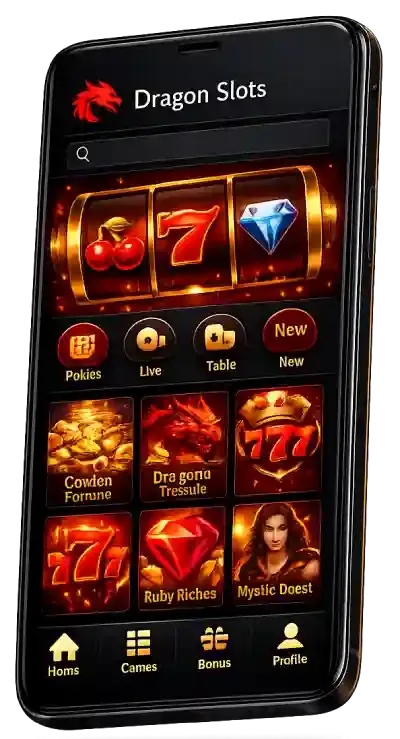
Instead of a store download, DragonSlots runs as a responsive website and a progressive web app. In practice that means one version of the casino that adjusts to your screen, receives updates automatically and takes almost no storage, because games stream from the server.
| Native app | None in the App Store or Google Play |
|---|---|
| How to play | Mobile browser or home-screen web app |
| Devices | iPhone, iPad and Android phones and tablets |
| Games on mobile | Almost the full lobby, including live tables |
| Cashier and bonuses | Same as desktop |
| Support | 24/7 live chat inside the mobile site |
Adding DragonSlots to Your Home Screen
iPhone and iPad
- Open DragonSlots in Safari.
- Tap the Share icon.
- Choose Add to Home Screen.
- Tap Add and open the new icon.
Android
- Open DragonSlots in Chrome.
- Tap the three-dot menu.
- Choose Install app or Add to Home screen.
- Confirm and open the new icon.


The shortcut opens full screen without the browser bar. Log in once with your DragonSlots details and switch on two-factor authentication for extra safety on a device you carry everywhere.
What You Can Do in the Mobile Casino
- Register and verify your account by photographing your documents
- Deposit with cards, e-wallets, Neosurf or crypto
- Activate welcome stages and Friday reloads
- Play pokies such as Floating Dragon in portrait or landscape
- Join Evolution live tables over Wi-Fi or 4G/5G
- Request withdrawals and chat with support

Mobile Tips for Australian Players
Pokies use little data once loaded, but live dealer streams use much more, so save long live sessions for Wi-Fi. Keep your browser updated, because older versions can struggle with newer games. If your phone is shared, do not let the browser save your DragonSlots password; use the home-screen shortcut and log out after each session. Set your budget before you play on the go, since quick sessions on a phone add up faster than you expect.
More about the casino as a whole is in our DragonSlots review, and login fixes are on the DragonSlots login page.
DragonSlots App FAQ
Is there a DragonSlots APK for Android?
DragonSlots does not publish an APK. Play in Chrome or another browser and add the site to your home screen. Avoid APK files from third-party sites, as they are not from the casino.
Can I claim the DragonSlots bonus on my phone?
Yes. Deposits, bonus stages, free spins and withdrawals all work in the mobile cashier exactly as on desktop.
Do I need a separate account for mobile?
No. Your DragonSlots login, balance, bonus progress and VIP level are shared across all devices.
Why does DragonSlots not open on my phone?
Usually an ACMA block on the address or a browser cache issue. Clear the cache, try mobile data instead of Wi-Fi, or ask support for the current working link.
No download needed: play DragonSlots in your browser.
Play on Mobile